Increase AOV
Increase average order values with spend thresholds, order bonuses, and limited-time entry boosts.
Reward every dollar spent with sweepstakes entries, then drive bigger orders and more referrals with customizable bonus-entry offers.
Choose how shoppers earn entries.
Show entries next to your products.
Show shoppers their estimated entries at checkout.
Show customers the entries they earned.
Reward customers for referring friends.
Revup gives you the power to influence what customers buy, how much they spend, and who they refer—while keeping every entry accurate and visible throughout the customer journey.







From flexible entry rules to cart incentives and real-time tracking, every capability is designed to increase order value, drive more purchases, and deliver measurable revenue.
Set a base entry rate, then offer bonus entries for limited-time events, higher cart values, promo codes, or featured products—driving urgency and increasing order value.
Show customers the entries they earned across Shopify’s thank-you, order status, and account pages—then encourage more actions, referrals, and engagement.
Display entry counts on product and cart pages to encourage purchases. Add an optional form to capture contact information and award free entries before customers buy.
When an order is refunded, voided, or canceled, Revup automatically adjusts the customer’s entries—keeping your promotion fair and your records accurate.
Open any customer profile to review their complete Shopify purchase history, see exactly how entries were earned or removed, verify eligible spend, and recalculate purchases when needed.

Use targeted entry incentives to increase cart size, drive sales of key products, and create urgency—while Revup keeps entries accurate as orders change.
Increase average order values with spend thresholds, order bonuses, and limited-time entry boosts.
Use product bonuses and multipliers to focus demand on selected products and variants.
Schedule storewide or product-specific entry boosts that motivate shoppers to buy now.
Automatically adjust entries when Shopify orders are refunded, voided, or canceled.
Your Shopify store. A prize they’ll dream about. From everyday favorites to dream-car merch drops, turn eligible purchases into chances to win.
Beauty & skincare
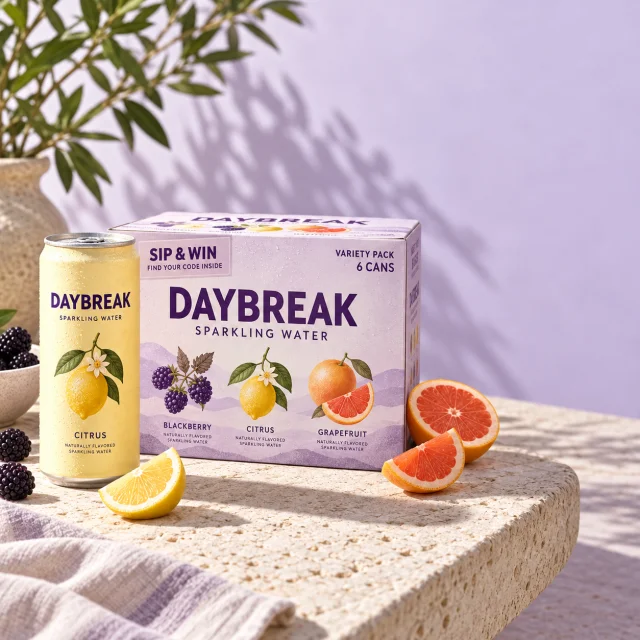
Turn skincare purchases into entries to win a $5,000 store gift card, with a simple entry rate of $1 entry per $1 spent.
Giveaway brands & merchandise
Build a merchandise-led Shopify giveaway around a car worth dreaming about, with qualifying apparel and accessory purchases earning entries.
Outdoor & adventure
Give selected products an entry multiplier and put a complete adventure kit at the heart of your store’s campaign.
Apparel & accessories
Encourage a higher average order value with bonus entries when shoppers reach a spending threshold—like 100 extra entries on orders of $150 or more.
Food & beverage
Put a year’s supply up for grabs and schedule a bonus-entry weekend around eligible purchases from your Shopify store.
Fan merchandise & sports
Give fans a chance to win a VIP matchday through qualifying merchandise purchases, with entries visible alongside the products they love.
Every tool purpose-built, not bolted on. Choose one or combine them all — each works beautifully on its own and even better together.
Data capture for any use case — with payments, file uploads, and validation.
Ask customers directly with ratings, rankings, and open questions.
Recommend products, score assessments, and qualify leads with personalized results.
Run compliant giveaways that grow your list and reward your audience.
Collect user-generated content and let judges or votes pick winners.
Spin-to-win, scratch-offs, and real-time prize reveals that drive engagement.
Select, review, notify, and fulfill promotion winners in one workflow.
Automate emails triggered by entries, referrals, votes, and winners.
Reach customers instantly via text with promotions and updates.
Unified customer profiles built from every interaction across all promotions.
AI that answers entrant questions from your promotion’s own settings, rules, and FAQs.
Build, edit, illustrate, and report on giveaways from Claude, ChatGPT, or Codex.
Sync data to supported email, SMS, CRM, and ecommerce platforms.
Grow your audience through unique referral links and bonus incentives.
Distribute unique coupon codes with claim limits and inventory tracking.
Purchase promotions touch your store, your catalog, and your orders. Our team knows the Shopify setup end to end and responds fast when you need us.
Real answers from real people who know the Shopify connection, imports, and widget placement inside and out.
The Install flow shows exactly what's connected, what's enabled, and what still needs attention before you go live.
Import health, connection alerts, and a safe full-import retry mean issues surface early — and we're here when they do.
Everything you need to know about how entries work, what shoppers see, and getting set up on Shopify.
You decide how many entries a purchase earns — set any rate you want, whether that's 1 entry per $1 or a ratio that fits your margins. Entries are based on eligible spend after discounts and before tax, counting only the products you choose to include. From there you can layer on bonuses: limited-time boosts, spend-threshold rewards, promo-code bonuses, and extra entries or multipliers on featured products.
No — entries are awarded automatically. Revup pulls orders straight from your Shopify store and matches each one to the shopper by email or phone. There's no order number to enter, no proof of purchase to upload, and no separate account to create. It's a completely frictionless experience for your customers.
Right inside their Shopify experience. You can display entries on the thank-you page, the order status page, and in the customer's account and order history. They'll see what they earned on each order alongside their running total — plus easy ways to earn more through referrals and bonus actions, keeping your promotion top of mind after every purchase.
Yes. Import-only mode automatically tracks orders and awards entries without adding anything customer-facing to your store. It's a great way to launch quickly, and you can turn on the storefront widgets and badges whenever you're ready — nothing is locked in.
Yes. Storefront badges preview the entries a shopper will earn as they browse and build their cart — a great nudge to add one more item. They appear whenever the estimate can be shown accurately, hide automatically before your promotion starts and after it ends, and work on supported Shopify themes. Whatever the badges show, every real order is still tracked and awarded in full behind the scenes.
Entries stay accurate automatically. A partial refund reduces that order's entries, and a full refund or cancellation brings them to zero. The order stays visible at zero so you always have a clear record of what happened. And because each order keeps the rules it was created under, changing your promotion later never rewrites entries customers already earned.
Yes. Every qualifying order a customer places automatically adds more entries to their total, so repeat purchases keep boosting their odds. The only time entries aren't updated automatically is if an existing order is edited after the fact to add items — in that case an admin can recalculate that purchase in a click.
Purchase sweepstakes are built exclusively for Shopify. Order tracking, the customer widgets, storefront badges, and referral capture all connect directly to your Shopify store for a seamless setup. Each store runs one active purchase promotion at a time, and you can switch which one is live whenever you want.
Yes. You can add an optional entry form to your storefront that collects contact info and awards free entries, then combines them with a shopper's purchase entries if they buy later. One thing to note: it's a flexible free-entry option, not automatic legal compliance — Revup doesn't generate official rules for purchase promotions, so review the legal requirements for your specific promotion.
Usually instantly. The thank-you and order status pages confirm the order and show entries right away. If Shopify is still processing the order, the widget simply waits and updates the moment it's ready — and scheduled imports keep every other order current in the background.