





Ecommerce & outdoor
Post-purchase feedback
Ask buyers how the product actually performed once they’d used it, while the order is still fresh.
Run surveys to uncover preferences, opinions, and feedback, then connect responses to customer profiles so you can personalize and act on what you learn.
Ask more than yes or no.




Anonymous when you want. Identified when it matters.
See what your customers are telling you.
Put your survey wherever customers are.
Survey answers become customer intelligence.

Analyze survey answers in Revup, connect identified responses to customer profiles, and use what you learn across future promotions and marketing.
Review responses question by question, track completion, and spot patterns without building reports or exporting data first.
Run surveys without asking for identifying information, so customers can respond freely while you still learn from the results.
Ask people to rank options in order, then see which products, ideas, or preferences consistently rise to the top.
Describe the survey in Claude, ChatGPT, or Codex and Revup creates the draft.
Publish language variants of the same survey. Translated choices keep the original option order, so the chart still lines up.
Identified responses join the same profile as that customer’s entries and purchases, and sync to the integrations connected to the survey.
Sarah Johnson
Attach a prize to a longer survey and draw the winner in the same dashboard you use for every other promotion.







See every question, every total, and the individual responses behind them, so you can move from a high-level trend to the exact feedback that shaped it.
Use contact, choice, text, file upload, date, and picture fields, plus star ratings, dedicated NPS, customizable 0–10 scales, ranking fields and more. You can even break longer surveys into multiple pages.
The reporting shows one card per question, with the field type, answers, skips, response rate, and averages where they apply. Dedicated NPS questions include the calculated NPS score and promoter, passive, and detractor groups. You can filter by presets or custom date ranges too.
Repeated answers are grouped and ranked by frequency, while every original response stays available to review. Search exact feedback and quickly see which answers come up most often.
Embed surveys on your site, launch a popup, share a hosted page, or generate a QR code. Use Revup tracking links to see where responses came from.
Collect feedback anonymously, or add an email, phone, or ID field to connect the response to a customer profile. Remove the identifying field and the survey goes back to anonymous.
Identified responses become part of the customer profile alongside purchases, entries, and past activity. Use what customers tell you to build richer profiles and sync those insights to the tools you use.
Connect Revup with supported email, SMS, and CRM platforms.
See all integrations








Six surveys you could publish this week, each one asking something only your customers can answer.
Ecommerce & outdoor
Ask buyers how the product actually performed once they’d used it, while the order is still fresh.
Restaurants & dining
Put a code on the table and let guests answer honestly, without leaving a name.
Beauty & skincare
Have customers rank the shortlist so the next launch is the one they already voted for.
Travel & hospitality
Ask departing guests to score the stay from 0 to 10 and say what would have made it better.
Retail & boutiques
Find out what shoppers want you to carry and who to tell when it arrives.
CPG & beverage
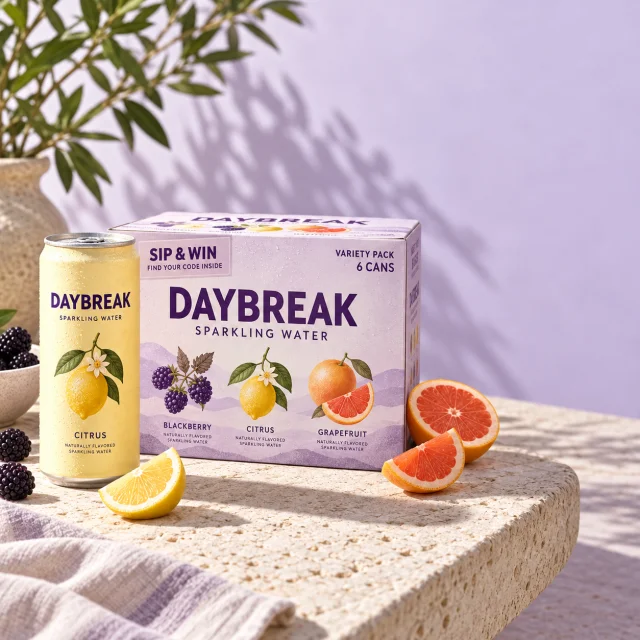
Attach a prize draw to a longer survey and run the winner selection from the same dashboard.
Every tool purpose-built, not bolted on. Choose one or combine them all — each works beautifully on its own and even better together.
Data capture for any use case — with payments, file uploads, and validation.
Recommend products, score assessments, and qualify leads with personalized results.
Run compliant giveaways that grow your list and reward your audience.
Collect user-generated content and let judges or votes pick winners.
Spin-to-win, scratch-offs, and real-time prize reveals that drive engagement.
Reward entries for every dollar spent on your store.
Select, review, notify, and fulfill promotion winners in one workflow.
Automate emails triggered by entries, referrals, votes, and winners.
Reach customers instantly via text with promotions and updates.
Unified customer profiles built from every interaction across all promotions.
AI that answers entrant questions from your promotion’s own settings, rules, and FAQs.
Build, edit, illustrate, and report on giveaways from Claude, ChatGPT, or Codex.
Sync data to supported email, SMS, CRM, and ecommerce platforms.
Grow your audience through unique referral links and bonus incentives.
Distribute unique coupon codes with claim limits and inventory tracking.
Running surveys involves question design, anonymity, and reporting. Our team knows the product inside out and responds fast when you need help.
Real answers from real people. Our team responds quickly and knows survey design inside and out.
Surveys involve question types, identity, publishing, and reporting. Revup condenses every step into simple workflows.
We don't disappear after onboarding. Whether you're launching your first survey or your hundredth, we're here.
What to know before you send a survey to your customers.
Yes. If the survey has no active email, phone, or unique ID question, responses are handled anonymously: no contact record is created, and there are no cookies, saved drafts, prefilled answers, verification steps, or contact integrations. Anonymous responses appear in the participant table as Anonymous response followed by the response ID, and anonymous exports redact IP, location, source, and campaign metadata. Anonymous means no contact identifier is collected. It is not a guarantee about what someone types into an open answer.
Add an email, phone, or unique ID question. One is enough, and it can be optional. From that point responses attach to a contact, join that person's unified customer profile alongside their entries and purchases, and can sync to the integrations connected to the survey. Remove the last identifier and the survey goes back to anonymous handling.
No. Surveys do not have per-question display logic, so every respondent sees every question on the page. You can split a long survey into multiple pages with the new-page element, and you can publish separate surveys for separate audiences.
Survey results are organized question by question in the Reporting tab, with response totals, completion rate, and flexible date filtering. Visual questions are summarized with charts and tables, while open-ended answers are grouped, ranked by frequency, and searchable.
No. Text answers are grouped by exact value and counted, and you read them yourself. Revup does not generate themes, sentiment, or summaries from what respondents wrote.
Yes. Surveys start with no prize and no social actions, and you can add either. A prize draw runs through the same Winners dashboard used by every other Revup promotion, so you can select winners and manage claims exactly as you would for a giveaway.
Only identified responses do. They count the same way as any other customer profile: once per person, no matter how many surveys they answer. Anonymous responses don't create a profile, so they don't count toward your plan at all. Test responses from previews never count. Free trials include 20 participants in total, whether they're identified or anonymous.